> ## Documentation Index
> Fetch the complete documentation index at: https://help.opus.pro/llms.txt
> Use this file to discover all available pages before exploring further.
# Add Text Overlays
## Edit your clips
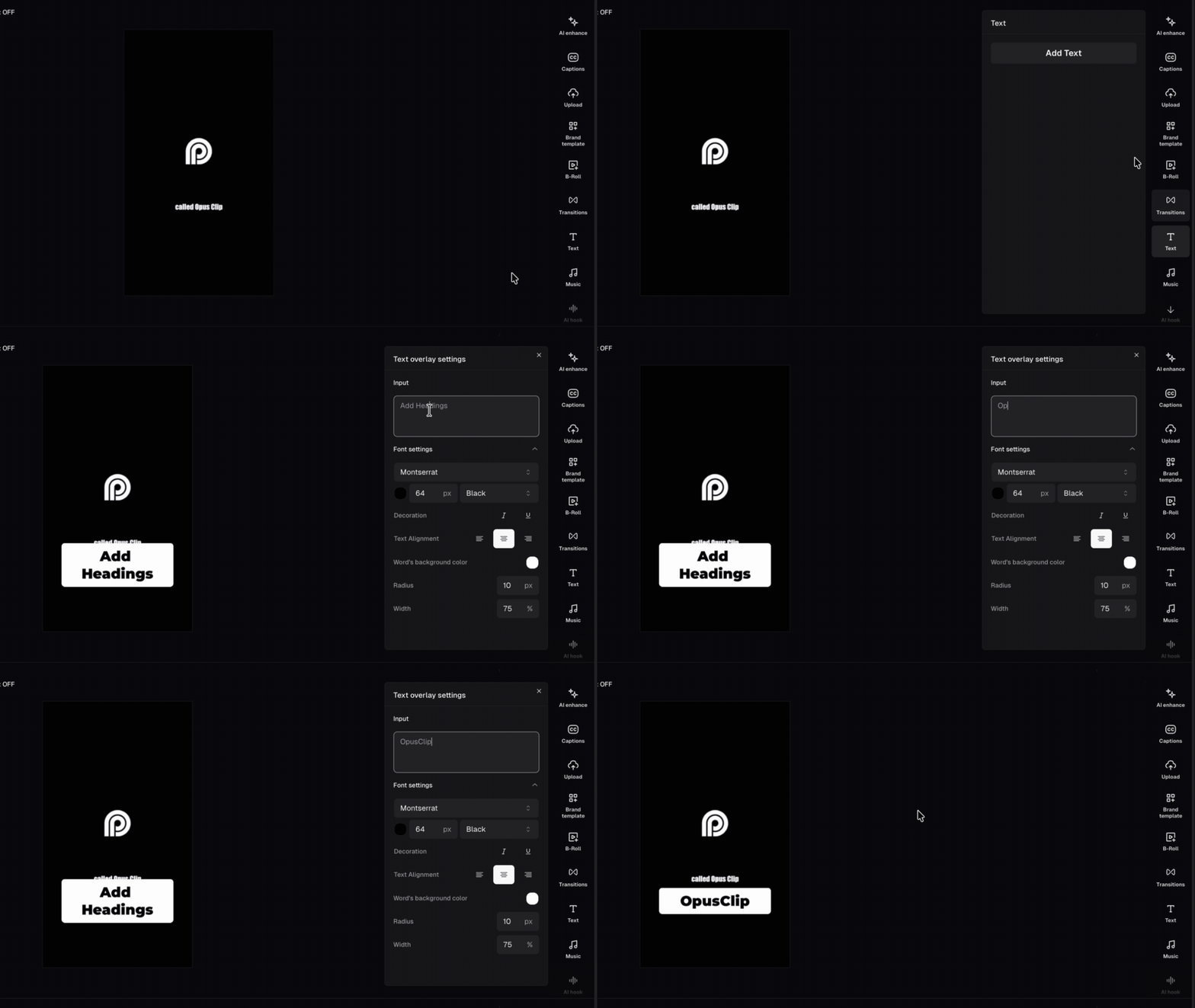
You can add **custom text overlays** as visual cues, calls-to-action, lower thirds, name tags, or headlines by clicking the **Text** tab in the right sidebar.
## Stack up to 5 text layers
You can add up to **5 text overlays** at the same time. Each overlay gets its own track in the timeline. OpusClip automatically places a new overlay on a free track. If all tracks are occupied at that moment, it places the overlay on the last available track.
## Customize, move, and resize a text overlay
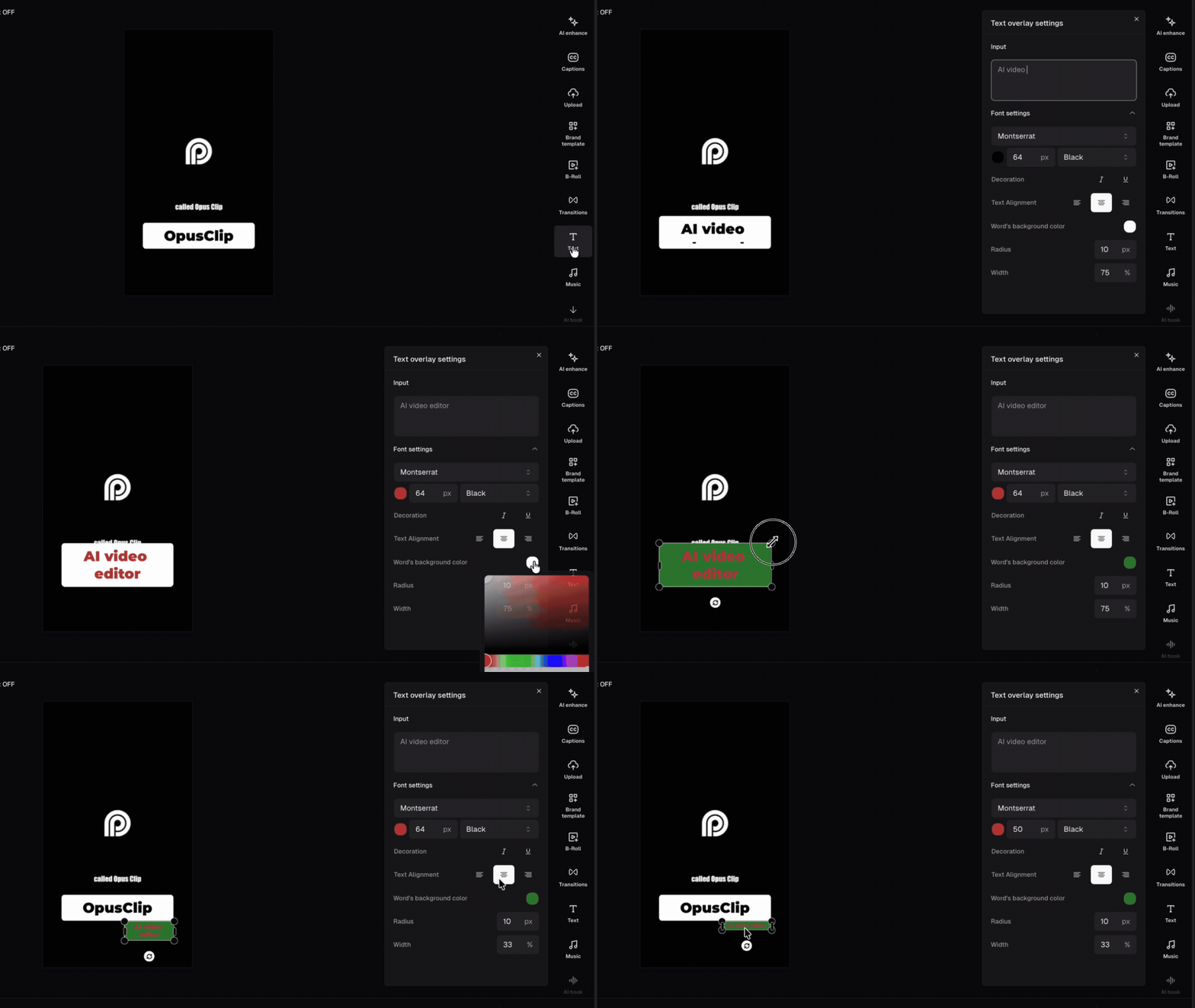
Click a text overlay on the canvas or timeline to open its settings panel in the right sidebar. Under **Font settings** you can adjust:
* **Words background color** — sets the fill color of the text box
* **Text box radius** — controls the corner shape, from sharp (0 px) to fully rounded (up to 80 px)
* **Text box width** — sets how wide the box is as a percentage of the frame (1%–100%)
To reposition it, drag the overlay anywhere on the canvas. To change how long it appears, drag the edges of the clip in the timeline.
## FAQ
### How many text overlays can I add?
Up to 5 at the same time, each on its own timeline track.
### Can I change the font?
Yes — select a text overlay and adjust the font, size, weight, and color from the settings panel in the right sidebar.
### My text overlay isn't showing up. What's wrong?
Check the timeline to make sure the clip is placed at the right time. Also confirm the overlay isn't hidden behind another track.